Circle CI
Important

Parameterizations are done to a specific project. To parameterize to the other project, go to the official documentation.
What is CircleCi
💡 CircleCI is a continuous integration and continuous deployment (CI/CD) tool widely used in software development. Pipelines in CircleCI are automated workflows that describe how code is compiled, tested, and deployed.
Pipelines CI/CD
CI (continuous integration) & CD (continuous deployment)
Planning
Compilation
Integration
Testing
Measuring the quality
Packaging / Management of application deliverables
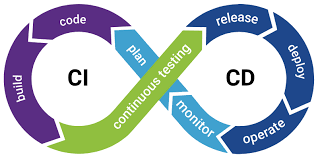
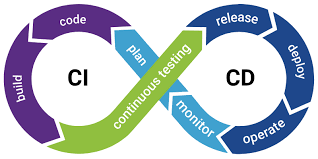
💡 A pipeline in the context of continuous integration (CI) and continuous deployment (CD) is a series of automated steps that are executed in a specific order to test and deploy the code consistently and reliably.
.circleci
⚙️ Create a folder .circleci
We need to create a folder .circleci at the project level so that when the project is created, the config.py
file is automatically placed inside it.
mkdir .circleci
config.py
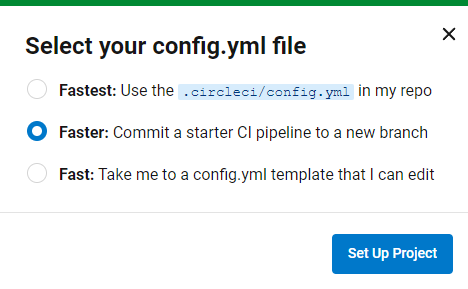
💡 This file can be created and automatically positioned in the .cirlceci. folder.
A circleci-project-setup branch is created. Either you have to configure on this branch,
or you have to gather it on the Master branch.


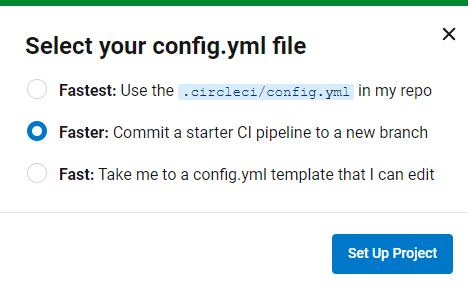
⚙️ config.yml initialization
This config.yml file is used by CircleCI to define the steps to follow when running a build pipeline. It starts by defining the version of the pipeline engine used, then defines a job (say-hello) that uses a Docker image (cimg/base:current) and executes a step that prints Hello, World!. Finally, it defines a workflow (say-hello-workflow) that orchestrates the execution of the previous work.
# Use the latest 2.1 version of CircleCI pipeline process engine.
# See: https://circleci.com/docs/configuration-reference
version: 2.1

# Define a job to be invoked later in a workflow.
# See: https://circleci.com/docs/jobs-steps/#jobs-overview & https://circleci.com/docs/configuration-reference/#jobs
jobs:
say-hello:
    # Specify the execution environment. You can specify an image from Docker Hub or use one of our convenience images from CircleCI's Developer Hub.
    # See: https://circleci.com/docs/executor-intro/ & https://circleci.com/docs/configuration-reference/#executor-job
    docker:
    # Specify the version you desire here
    # See: https://circleci.com/developer/images/image/cimg/base
    - image: cimg/base:current

    # Add steps to the job
    # See: https://circleci.com/docs/jobs-steps/#steps-overview & https://circleci.com/docs/configuration-reference/#steps
    steps:
    # Checkout the code as the first step.
    - checkout
    - run:
        name: "Say hello"
        command: "echo Hello, World!"

# Orchestrate jobs using workflows
# See: https://circleci.com/docs/workflows/ & https://circleci.com/docs/configuration-reference/#workflows
workflows:
say-hello-workflow: # This is the name of the workflow, feel free to change it to better match your workflow.
    # Inside the workflow, you define the jobs you want to run.
    jobs:
    - say-hello
🔄 Merge branches
We must position ourselves on the marster branch.
git checkout master
Then we can gather the branches, if necessary.
git merge circleci-project-setup
⚙️ Build config.yml
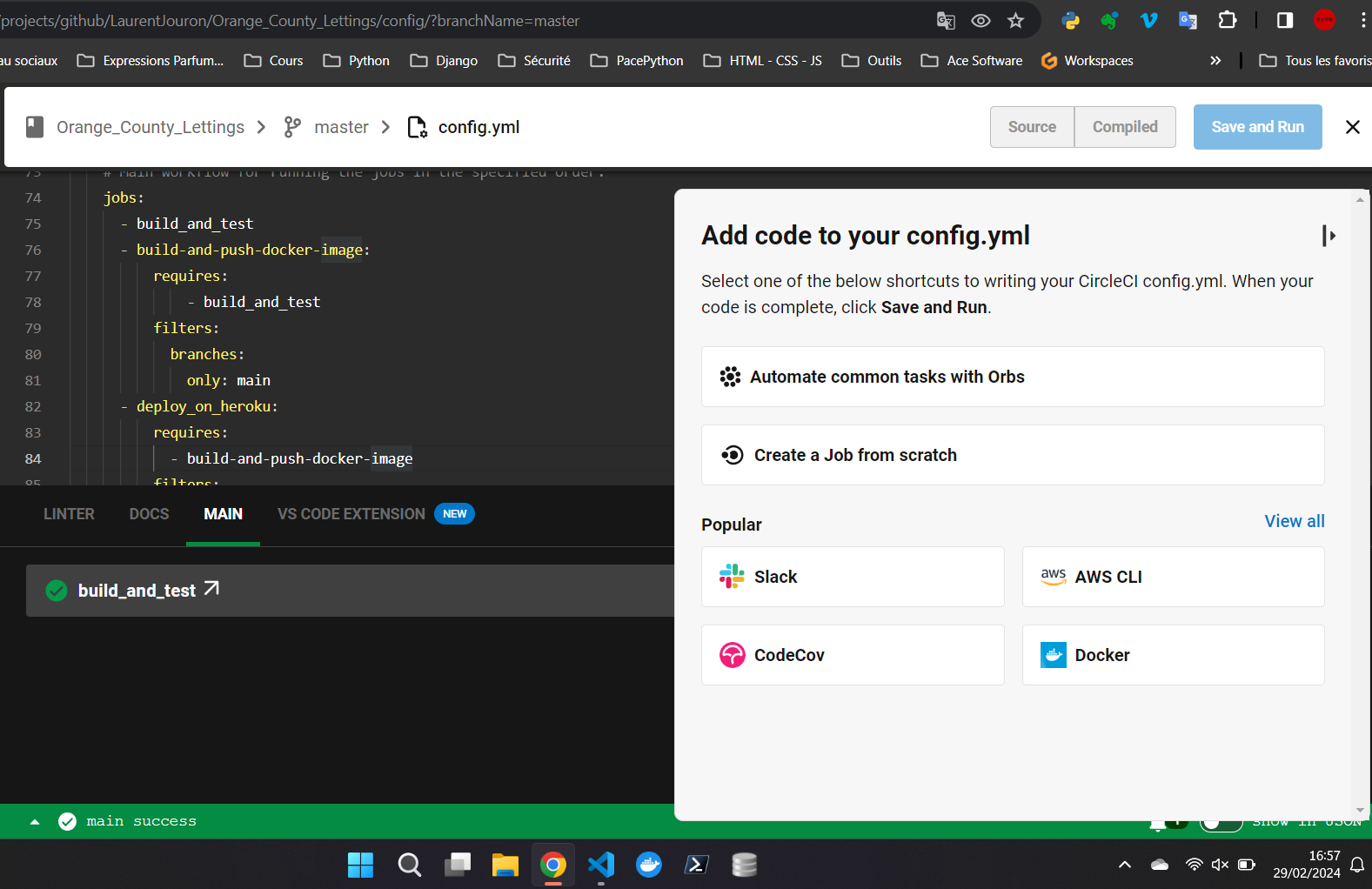
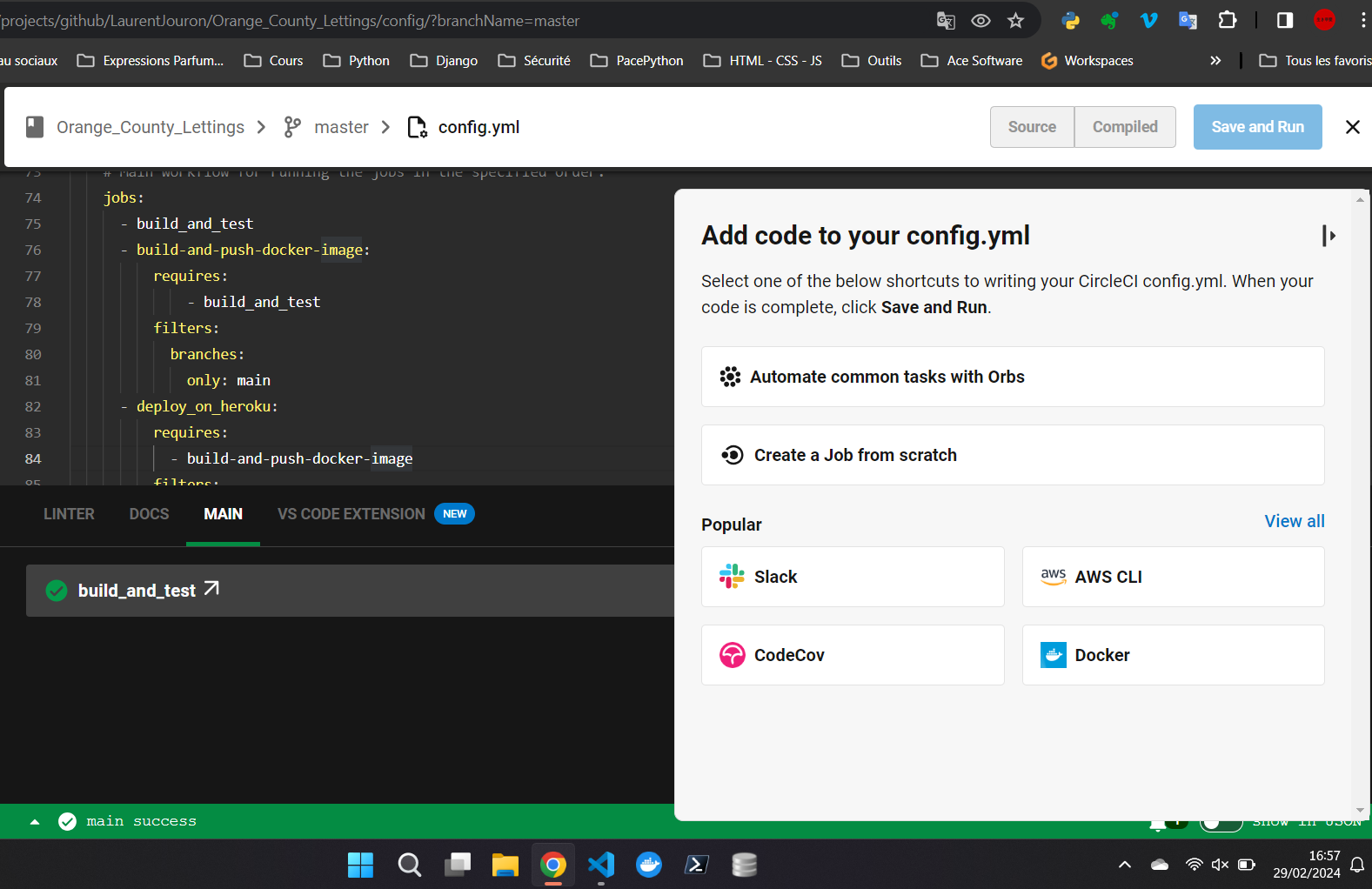
⚙️ config.yml after configuration
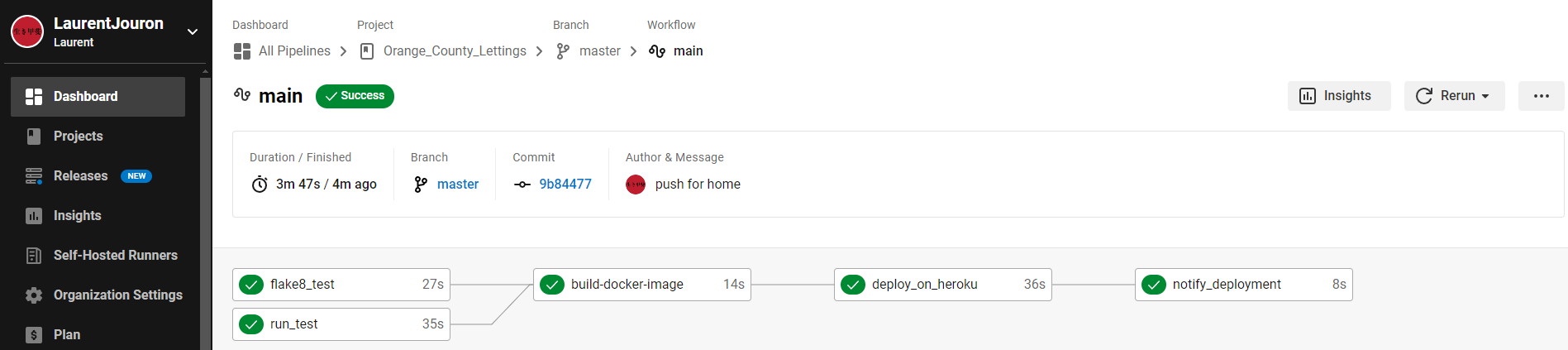
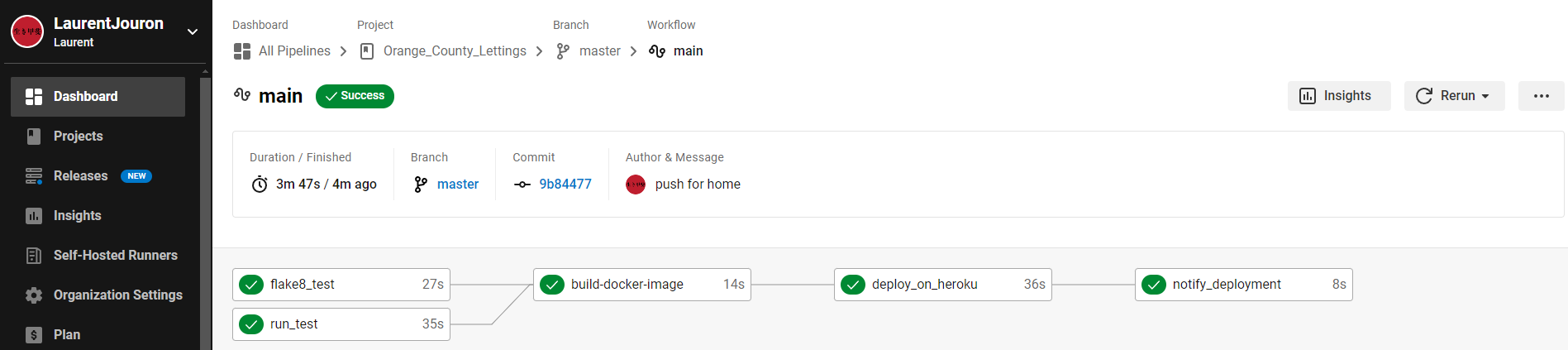
This YML file defines the configuration of a deployment pipeline with CircleCI. It includes steps for building, testing, creating a Docker image, and deploying to Heroku.
version: 2.1

orbs:
python: circleci/python@2.1.1
heroku: circleci/heroku@2.0.0

jobs:
run_test:
   docker:
      - image: cimg/python:3.12.0
   steps:
      - checkout
      - python/install-packages:
         pkg-manager: pipenv
      - run:
         name: Run tests
         command:
            mkdir test-results && pipenv run pytest

flake8_test:
   docker:
      - image: cimg/python:3.12.0
   steps:
      - checkout
      - run:
         name: Install Flake8
         command: pip install flake8==3.7.0
      - run:
         name: check linting with Flake8
         command: flake8
      - store_test_results:
         path: test-results
      - store_artifacts:
         path: test-results
         destination: tr1
      - persist_to_workspace:
         root: ~/project
         paths:
            - .

build-docker-image:
   docker:
      - image: cimg/python:3.12.0
   steps:
      - checkout
      - setup_remote_docker:
         docker_layer_caching: true
      - run:
         name: Build and push docker image
         command: |
            TAG=0.1.$CIRCLE_BUILD_NUM
            docker build -t $DOCKER_USERNAME/$IMAGE_NAME:$TAG --build-arg SECRET_KEY=${SECRET_KEY} --build-arg DSN=${DSN} .
            #docker build -t $DOCKER_USERNAME/$IMAGE_NAME:$TAG .
            echo $DOCKER_PASSWORD | docker login -u $DOCKER_USERNAME --password-stdin
            docker push $DOCKER_USERNAME/$IMAGE_NAME:$TAG


deploy_on_heroku:
   docker:
      - image: cimg/python:3.12.0
   steps:
      - checkout
      - setup_remote_docker:
         docker_layer_caching: true
      - run:
         name: Build and push Docker image to Heroku
         command: |
         sudo curl https://cli-assets.heroku.com/install.sh | sh
         HEROKU_API_KEY=${HEROKU_API_KEY} heroku config:set SECRET_KEY=$SECRET_KEY -a ${HEROKU_APP_NAME}
         HEROKU_API_KEY=${HEROKU_API_KEY} heroku config:set DSN=$DSN -a ${HEROKU_APP_NAME}
         HEROKU_API_KEY=${HEROKU_API_KEY} heroku container:login
         HEROKU_API_KEY=${HEROKU_API_KEY} heroku container:push -a ${HEROKU_APP_NAME} web
         HEROKU_API_KEY=${HEROKU_API_KEY} heroku container:release -a ${HEROKU_APP_NAME} web
      - run:
         name: Display deployment message
         command: echo "Application successfully deployed to Heroku."
      - persist_to_workspace:
         root: ~/project
         paths:
            - .

notify_deployment:
   # Job to notify successful deployment.
   docker:
      - image: cimg/python:3.12.0
   steps:
      - attach_workspace:
         at: ~/project
      - run:
         name: Send deployment notification
         command: echo "Deployment to Heroku successful!"

workflows:
main:
   # Main workflow for running the jobs in the specified order.
   jobs:
      - run_test
      - flake8_test
      - build-docker-image:
         requires:
            - run_test
            - flake8_test
         filters:
            branches:
            only: master
      - deploy_on_heroku:
         requires:
            - build-docker-image
         filters:
            branches:
            only: master
      - notify_deployment:
         requires:
            - deploy_on_heroku
         filters:
            branches:
            only: master
Important
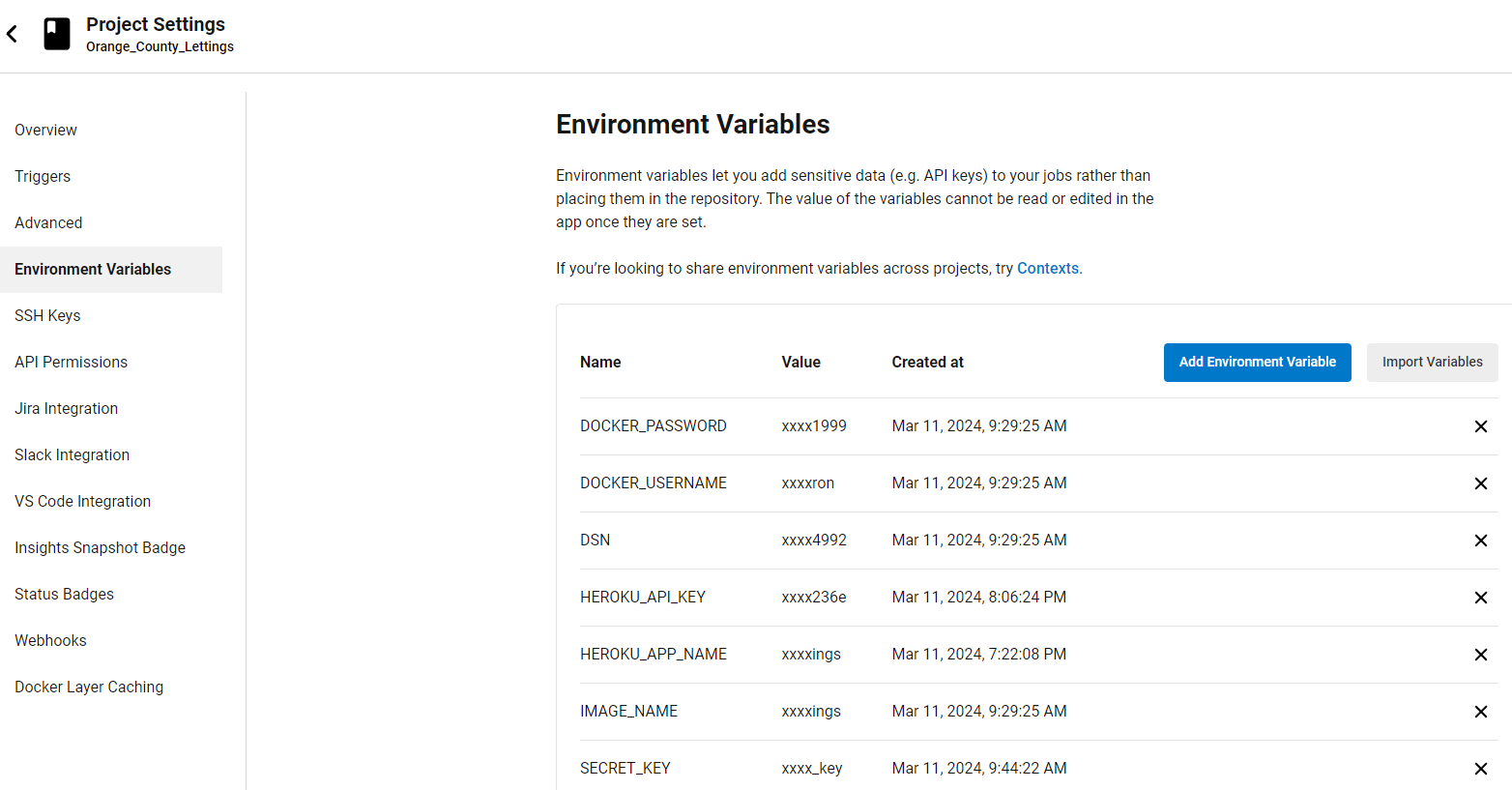
Before using this configuration, you must create the environment variables dans CircleCI.
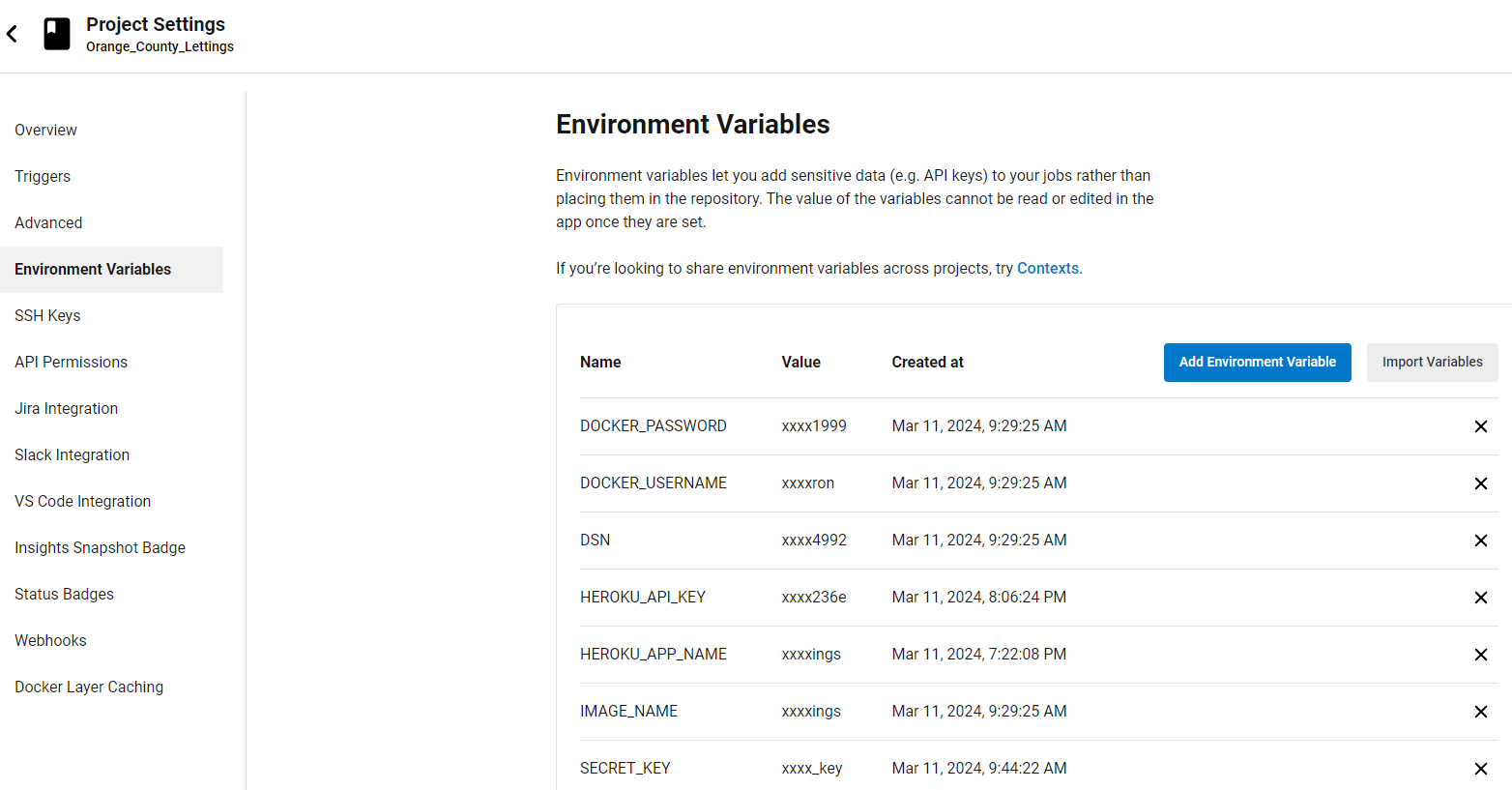
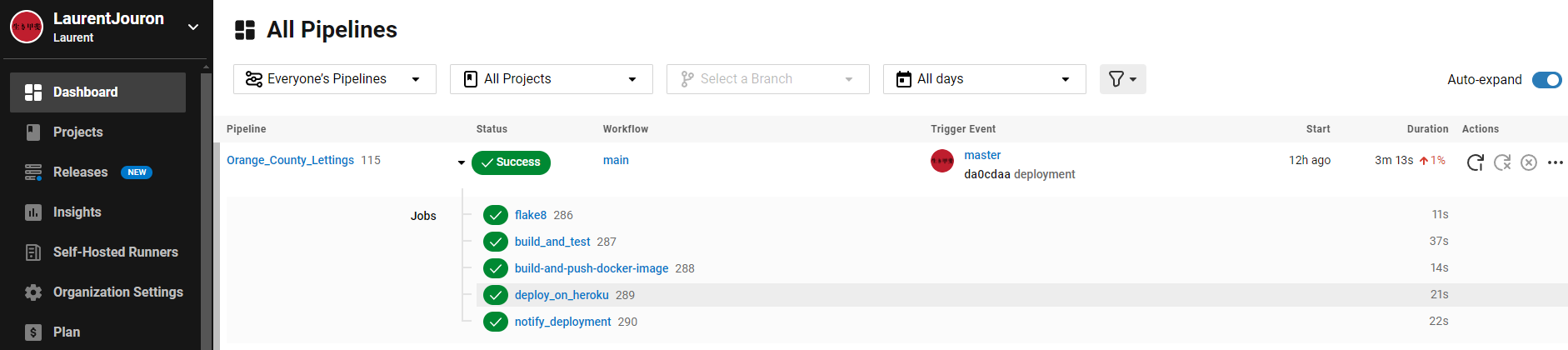
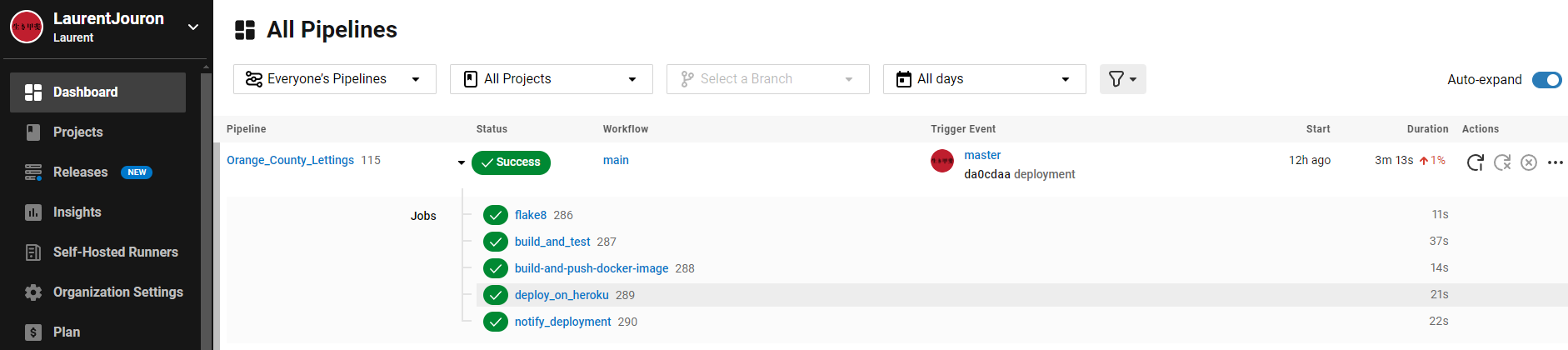
After running all the tests there is a graph that can be found to make possible improvements.